Fair prices in every country
Price Wizard sets your App Store subscription and in-app purchase prices for all 175 territories by buying power, then applies them to App Store Connect in one go. Minutes, not hours.
iPhone, iPad and Mac · 5 free applies · One-time purchase, no subscription
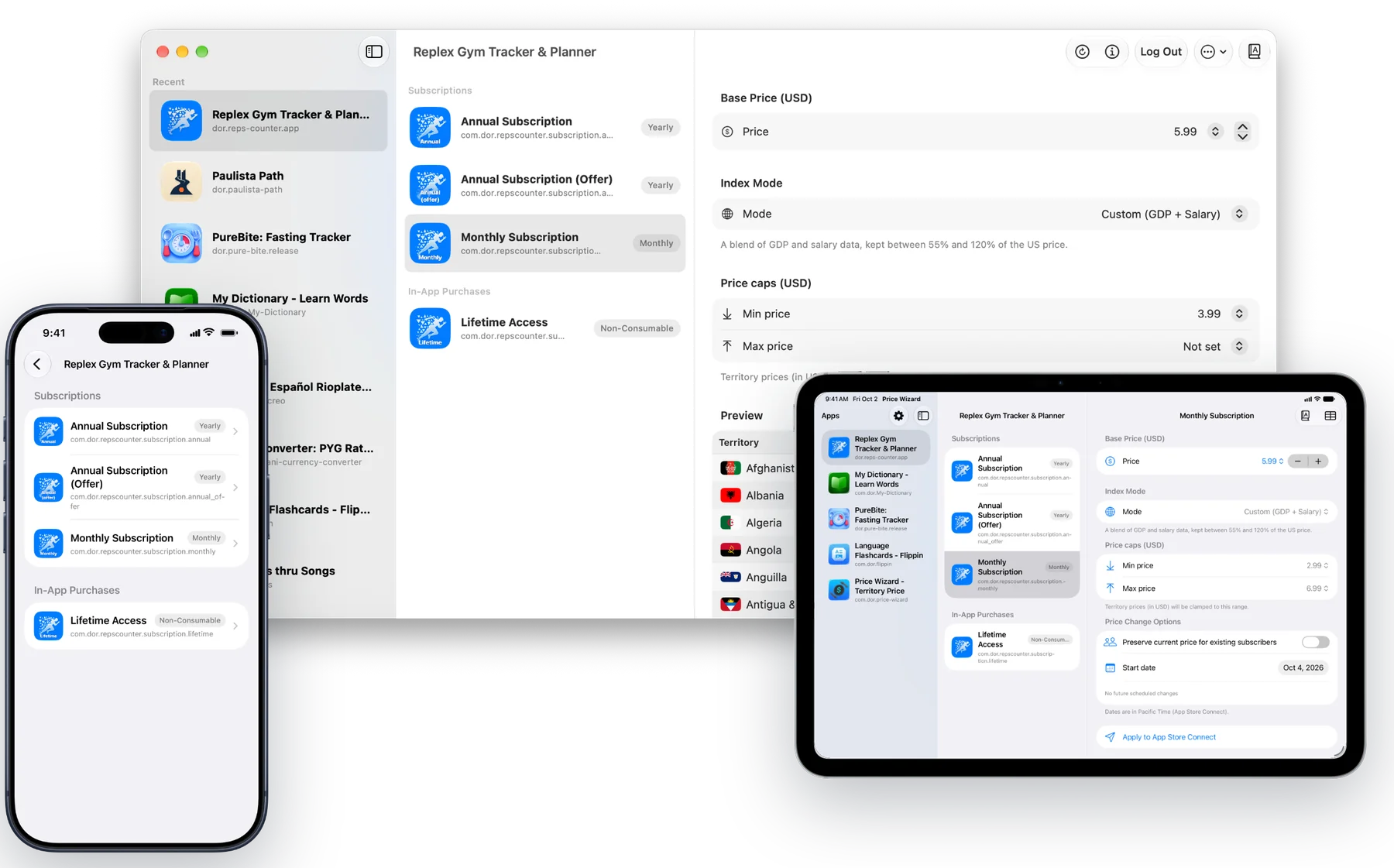
$9.99 in the US is not $9.99 everywhere
One global price is too expensive in some countries and leaves money on the table in others. App Store Connect has 175 territories, and changing them by hand is slow and easy to get wrong.
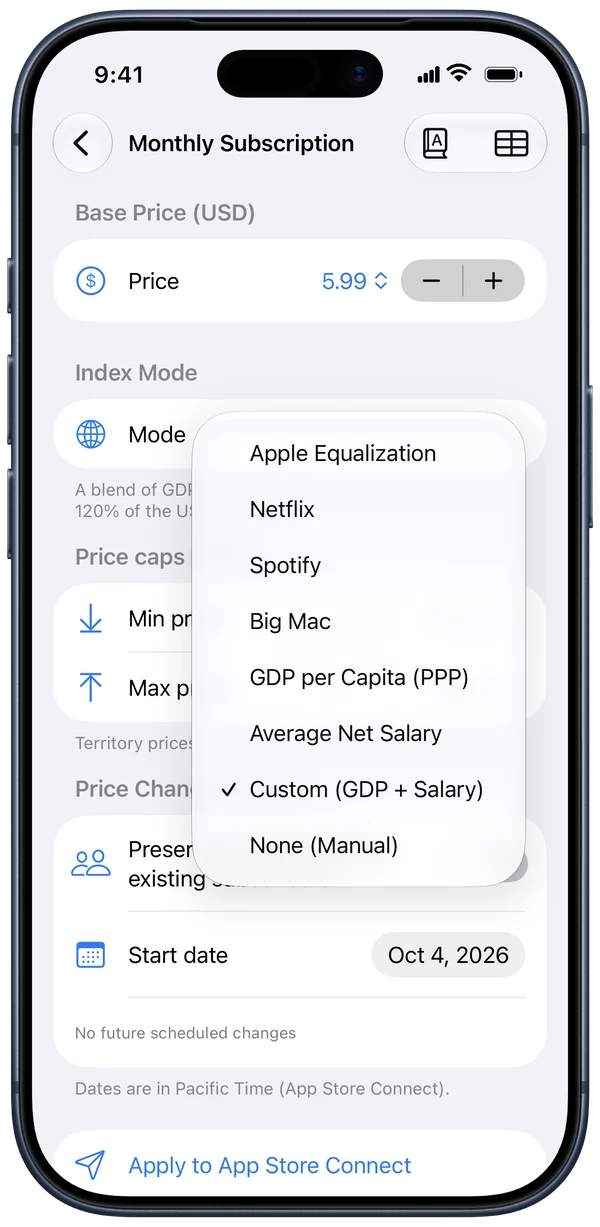
Price by buying power
Start from one US price and choose how the world should see it.
- Apple Equalization, Netflix and Spotify-style regional pricing
- Big Mac index, GDP per capita, average salary or a custom blend
- Min and max caps in USD, manual overrides for any country
- Works for expensive products too: every country reaches its own target
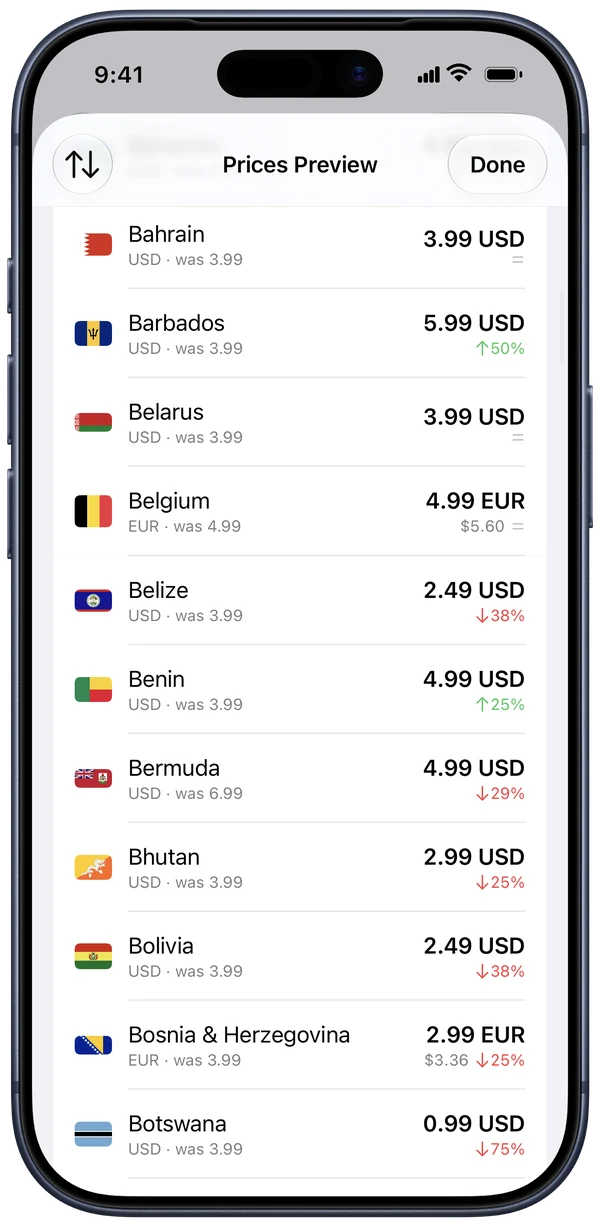
See every market first
Every territory's local price, its USD value and the change from today, before anything is sent.
- Search, filter changing or manual prices, sort by biggest change
- A review sheet shows the biggest increases and decreases
- Countries that already match are skipped
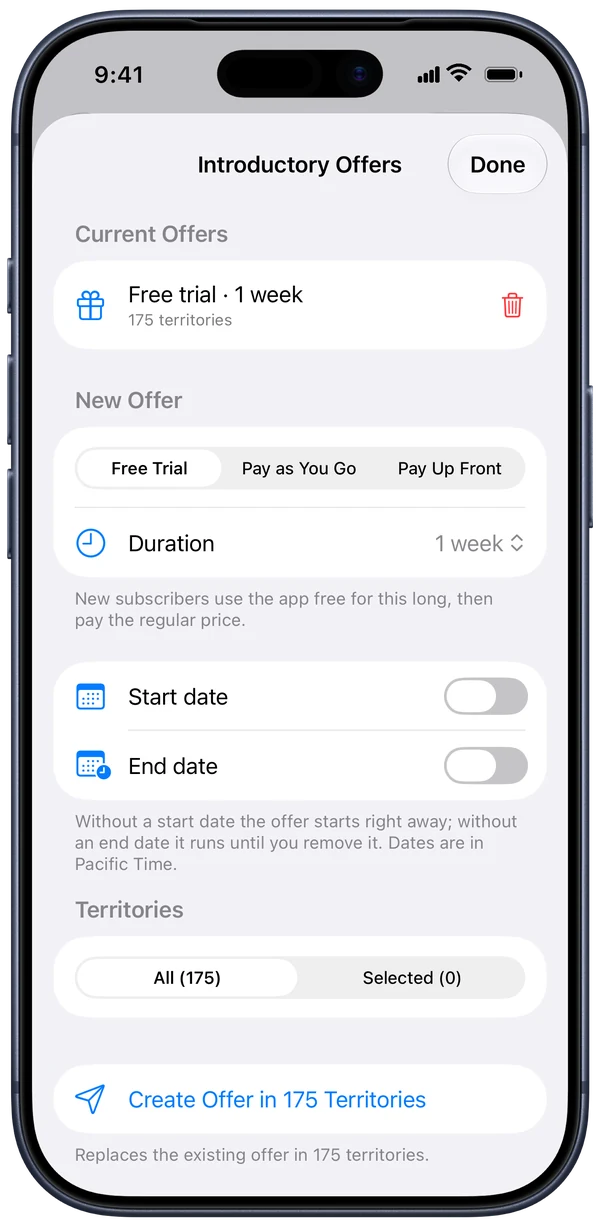
Free trials in every country
Set up an introductory offer for all 175 territories at once instead of one by one.
- Free trial, pay as you go or pay up front
- Paid intro prices follow Apple's equalization
- Preview each country's offer price and savings
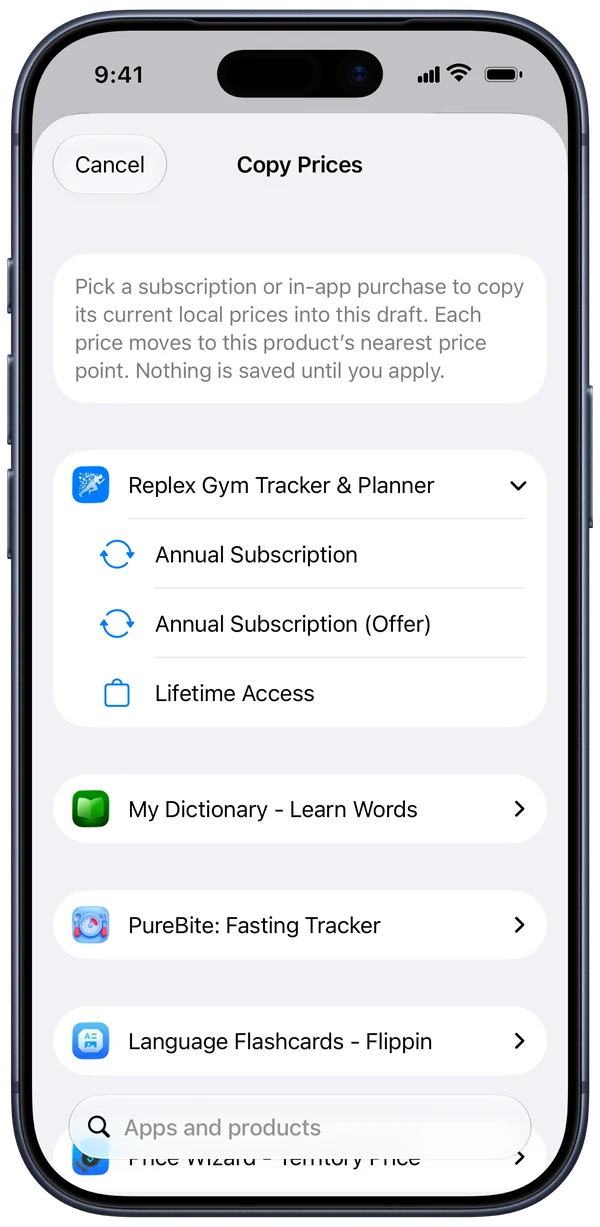
Copy prices across apps
Reuse what already works.
- Copy the current prices of any product in any of your apps
- Export to CSV, edit in Numbers or Excel, import back
- Imported prices snap to valid App Store price points
Translate in one tap
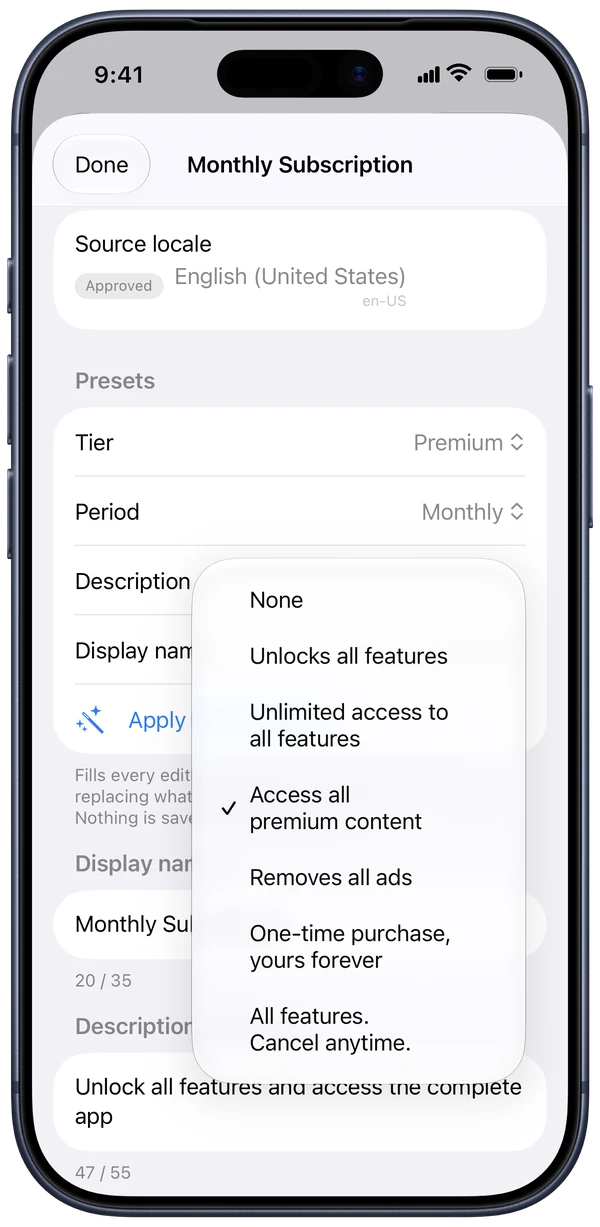
Display names and descriptions for every App Store locale.
- Reviewed presets in 50 languages: Plus, Pro, Premium, Unlimited × Weekly, Monthly, Yearly, Lifetime
- Machine translation for your own text
- Approved locales are left untouched
Built for real App Store Connect work
Safe applies
Conflicting scheduled prices are replaced, failed territories can be retried, and an interrupted apply finishes on the next run.
Not on sale yet?
Subscriptions that were never approved get their prices right away, with no 2-day wait.
iPhone, iPad and Mac
One purchase, the same features everywhere. Drafts stay with each product while you move around.
Works with AI tools
On Mac, a local MCP server lets Cursor, Claude Code or VS Code draft prices and offers. Applying is always your click.
Your key stays yours
The App Store Connect API key lives in your Keychain and only signs requests to Apple. No account, no backend.
Every country and locale
All 175 territories and every App Store localization, kept up to date with Apple's API.
Four steps to every country
- 1
Connect
Add your App Store Connect API key (Key ID, Issuer ID, .p8). Or tap Try Demo to explore with sample data.
- 2
Choose
Pick a US base price, a pricing model and optional caps.
- 3
Review
Check every country, adjust outliers, pick a start date.
- 4
Apply
Send everything to App Store Connect in one go, with progress and retries.

We price Price Wizard with Price Wizard
The lifetime purchase you’ll see in your country’s App Store was set with this app: one US price, adjusted for buying power in every territory, and applied in one go. If it’s fair enough for us, it’s fair enough for your users.
Try it free, then pay once
Your first 5 applies to App Store Connect are free. After that, a one-time lifetime purchase unlocks unlimited applies on all your devices. The price is shown in the App Store for your country.
- No subscription
- No account
- Restore any time
Questions
What do I need?
iOS or iPadOS 17 or later, or macOS 15 or later, and an App Store Connect API key with App Manager or Admin access. How to create one.
Is my API key safe?
It's stored only in your device's Keychain and used only to sign requests that go directly from your device to Apple. We never receive it. See the Privacy Policy.
Can I try it without an API key?
Yes. Tap Try Demo on the connect screen to explore with sample apps and products. Nothing is sent to App Store Connect in demo mode.
What counts as an "apply"?
Each time you send prices, an introductory offer or localization changes to App Store Connect. Retrying failed territories doesn't count again.
Will it overwrite scheduled price changes?
Only on the start date you choose: scheduled prices on that date are replaced (the review sheet tells you how many), territories already at the new price are skipped, and other dates are left alone.